When AI can access more of your firm's data, who should be allowed to use it?
Until recently, accountants generally used AI separately from their other software: they typed in a question or uploaded a document, then brought the answer back into their work. That's starting to change. Connections let AI tools work with information in the systems firms already use. Some use MCP, a shared way for different software to connect, so an AI tool can access information or features it has permission to use.
As these connections become more common, AI may be able to work with firm and client information directly, not just help draft emails or summarise documents. That brings new questions for firm owners: what can a tool access, who can use it, and what can it do with the information?
There have been some recent signs of this shift. Dext has launched a connection that lets firms ask questions about their Dext data through tools such as Claude, ChatGPT and Copilot. The connection is read-only and follows users' existing Dext permissions. Xero has also announced a connection that brings live financial information into Google Gemini conversations.
For accounting firms, the appeal is easy to see. Information that staff might otherwise find by opening several systems, running reports or asking a colleague could become easier to retrieve. But easier access also means firms need to be clear about boundaries.
Who can see what?
In a firm of five people, access may be relatively straightforward. As a firm grows, different staff work across different clients and responsibilities. A junior accountant, a manager and a partner would probably all need different levels of access.
Connecting a system to an AI tool shouldn't widen those permissions. Before introducing a connection, check whether it respects the access a person already has in the source system. Ask what happens when someone changes roles or leaves the firm, and whether the firm can see who connected which systems.
These are practical questions, not just IT considerations. A tool that can retrieve information about the wrong client or matter creates a risk for the firm, even if nobody intended to give it that access.
Be precise about what the tool can do
There's an important difference between asking a tool to find information and asking it to change something.
Retrieving a client's Xero data for review is different from creating or sending an invoice, changing a transaction, or updating a client record. For each connection, firms should understand whether it is read-only or can take action, and what approval is needed before changes are made.
A sensible starting point is to keep access limited to the task being tested. If a connection can make changes, decide who is authorised to approve them and how the work will be checked. Don't assume that because a tool can complete a task, it should be allowed to complete it without review.
Consider the entire chain of events
A connection can involve more than one organisation's software. If information is passed from an accounting system through another application and into an AI tool, firms need to understand where it goes and which providers handle it.
Check the provider's terms and data policies, what information is shared, and whether the connection is managed through a firm account or an individual's account. Make sure staff know which tools are approved for client work, rather than leaving everyone to make their own decisions.
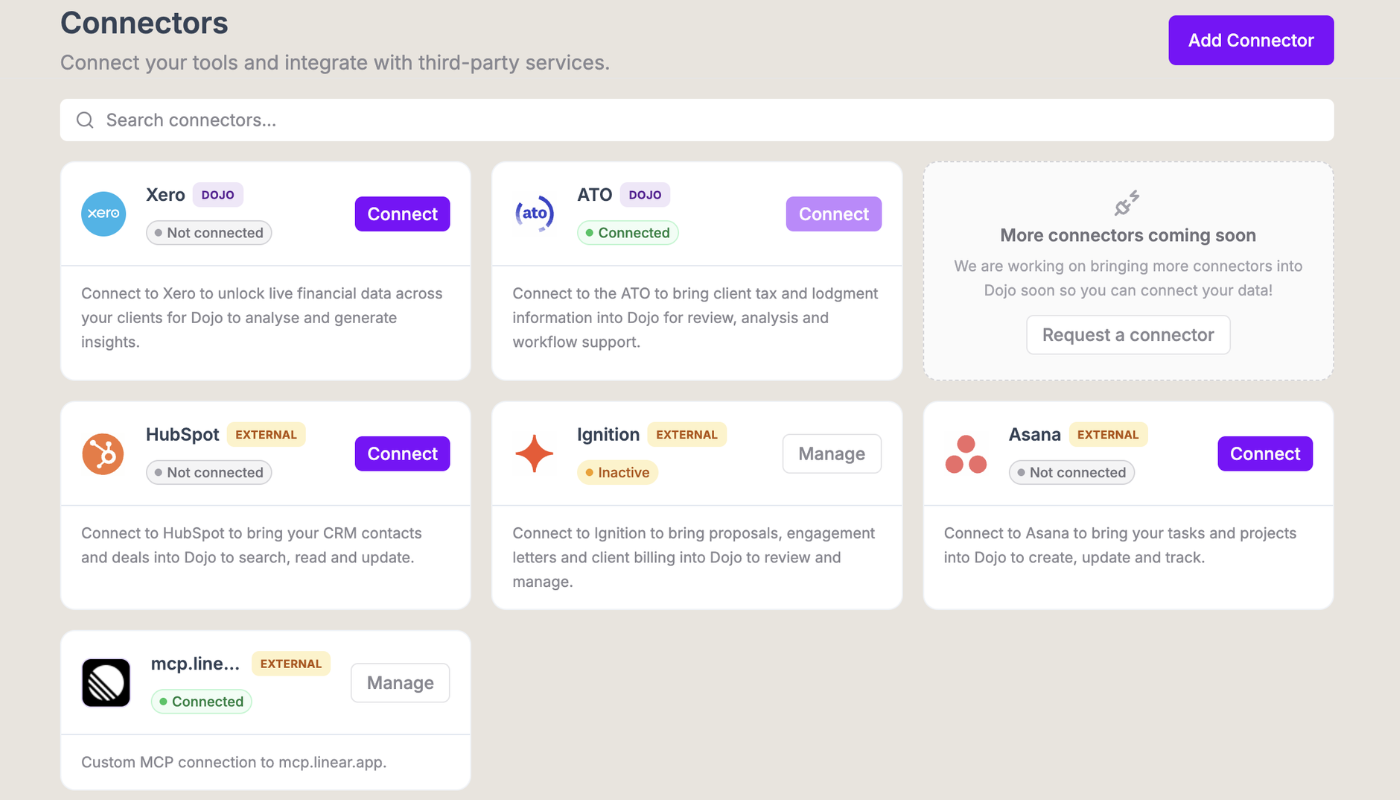
This is particularly relevant for firms considering connections across practice management, client relationship and task management systems. Tools such as Karbon, Ignition, HubSpot or Asana may each hold different client or operational information. Connecting them can be useful, but the firm should decide what information is appropriate to share and for which tasks.
Start small with connecting
A firm doesn't need to connect everything at once. Start with a task that is narrow, useful and easy to check. For example, you might test whether staff can retrieve selected financial information to prepare for a client conversation, or bring together relevant task information for an internal review. This will help you gain confidence in the process and the safety of the connection.
Agree in advance on who will use the connection, what information it can access, what the user is expected to check, and how staff should report an issue. Review the results before expanding access or adding more tasks.
That gives the firm a chance to see whether the connection saves time in practice, whether the answers are useful, and whether the controls work as expected.
A practical consideration for growing firms
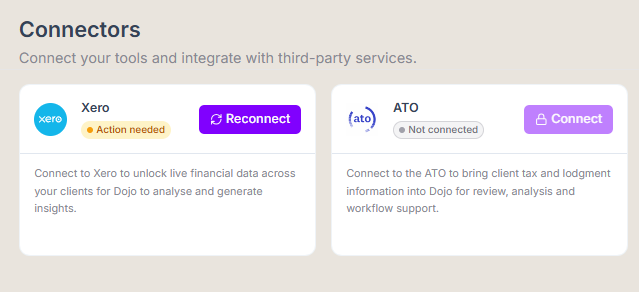
At AI Dojo, firms can already connect Dojo to Xero to bring financial data into their work. An ATO connection is planned, and MCP connections will allow users to connect Dojo with compatible tools they choose. The specific systems and tasks will depend on the connections a firm sets up.
As these options develop, access and permissions should be part of the decision from the start. For firm owners, the aim isn't to connect every system. It's to make useful information available to the right people, for the right work, with clear limits on what can be done.
That's a good basis for trying new tools without losing sight of the responsibilities that come with handling client information.
Thinking about how connected AI could fit into your firm?
See how Dojo brings Xero data into accounting workflows, and talk with the team about the connections your firm may need.
Looking to make a practical difference in your firm?
Get in touch to learn how AI Dojo could benefit your organisation
BOOK A DEMO